The useful part, up front
- Urgency is a reason to verify, not a reason to skip verification.
- Open a known app or trusted address independently of the message.
- If you already shared information, respond through official recovery channels.
Notice the decision the message wants you to rush
An unexpected text says a delivery is waiting for a small fee. An email says an account will close tonight unless you sign in. The details vary, but the pressure is similar: act immediately through the route the sender provides.
Phishing attempts seek information, money, or access by impersonating a trustworthy source. They can look polished. A familiar display name, correct spelling, or a recognizable logo is not enough to establish who sent the request.
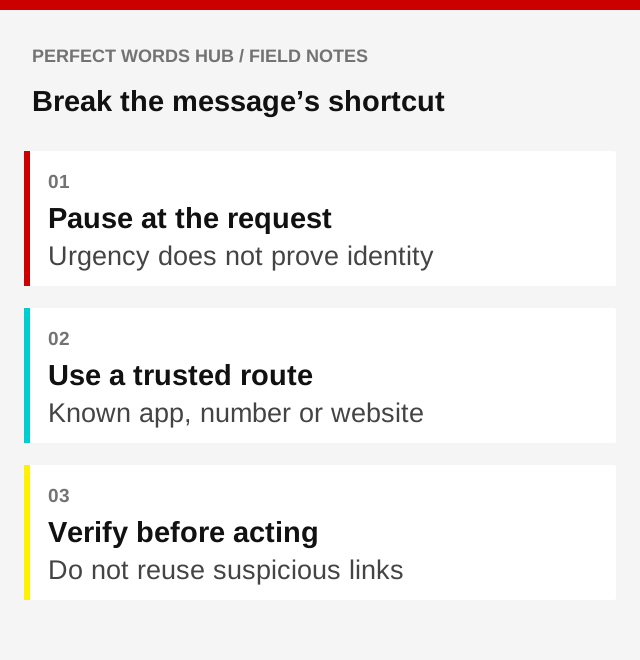
Leave the message’s route
If a bank alert might be real, open the bank’s known app or use a trusted website address you already have. If a caller claims to represent a company, use an independently verified contact channel to check. Do not treat the number or link inside the suspicious message as independent confirmation.
This habit changes the question from “does this message look convincing?” to “does the real organization confirm the issue?” It also works when the message happens to arrive at a plausible time, such as while you are expecting a parcel.
Treat links and attachments as actions
A link can lead to a lookalike sign-in page. An attachment can ask you to run or enable something you did not intend. On a small screen, parts of an address may be hidden, so a brief glance is not a complete verification method.
A secure-connection symbol indicates something about the connection, not the honesty of the business behind it. Avoid entering credentials merely because a page looks professional. Never approve a login prompt you did not initiate.
Use a quick verification routine
- Pause before replying, paying, or opening anything.
- Identify the claim and what information or action it requests.
- Verify through a known app, saved address, or independently obtained phone number.
- Use the verified service’s reporting channel if the message is suspicious.
For a message from someone you know, consider whether their account could be compromised. Confirm an unusual money or credential request through a separate familiar channel.
If you have already acted
Respond promptly, but do not let embarrassment push you toward another unverified “recovery expert.” If you disclosed account credentials, use the provider’s official recovery process, change affected passwords, and review account access. If you sent money, contact the payment provider through a known channel.
The FTC provides recovery steps based on what happened, and IdentityTheft.gov can help with identity-theft reporting and a recovery plan. The appropriate response depends on what was shared or installed; a single password change may not address every issue.
Finally, keep software updated and use strong account protection. These measures reduce risk, but no badge, tool, or habit guarantees that every deceptive message will be caught.
Sources & further reading
- FTC: Recognizing and avoiding phishing (opens in a new tab)
- FTC: What to do after a scam (opens in a new tab)
- FTC: Protecting personal information (opens in a new tab)
Source links checked September 30, 2026. Requirements and guidance may change.
For general education in a U.S. context. This is not financial, insurance, legal, tax, or medical advice. Examples are illustrative. Check current rules and relevant policy documents, and seek qualified help for your circumstances.
Would you pause before the click?
Put the ideas into practice with 12 questions and explanations.
Take the quiz